Convert Bank Statements to Excel
Instantly, From Any Bank
Upload any bank statement PDF — even scanned ones — and get clean, structured transaction data in Excel or CSV. No manual data entry.
No credit card required · 30 free pages/month
Why Parsli?
Skip retyping 100+ transactions by hand
Without Parsli
- Retyping transactions from PDF statements by hand
- Different banks use different statement formats
- Scanned or printed statements have no copyable text
- Multi-page statements take hours to process
- Errors from manual entry throw off reconciliation
With Parsli
- Upload a statement and get structured data in seconds
- AI adapts to any bank's format automatically
- Built-in OCR reads scanned and printed statements
- Multi-page statements processed as a single dataset
- 95%+ accuracy eliminates reconciliation errors
Process a 50-page statement in 10 seconds, not 3 hours.
Works with Any Bank
Chase, Bank of America, Wells Fargo, HSBC, or your local credit union — Parsli adapts to any bank's statement layout without per-bank configuration.
Compatibility
Every document format supported
How It Works
Three steps to structured data
Upload Bank Statement PDF
Drop in any bank statement — from any bank, any format. Scanned, printed, or digital.
AI Extracts Every Transaction
Date, description, amount, balance — Parsli reads and structures every line of every transaction.
Export to Excel, CSV, or Sheets
Download clean data as Excel or CSV, or push it directly to Google Sheets for instant analysis.
See It In Action
From document to structured data in minutes
No complex setup. No code required. Just define what you need and let AI do the rest.
Create a parser
Give your parser a name and description. Each parser is a reusable extraction template — create one for invoices, another for receipts, another for contracts.

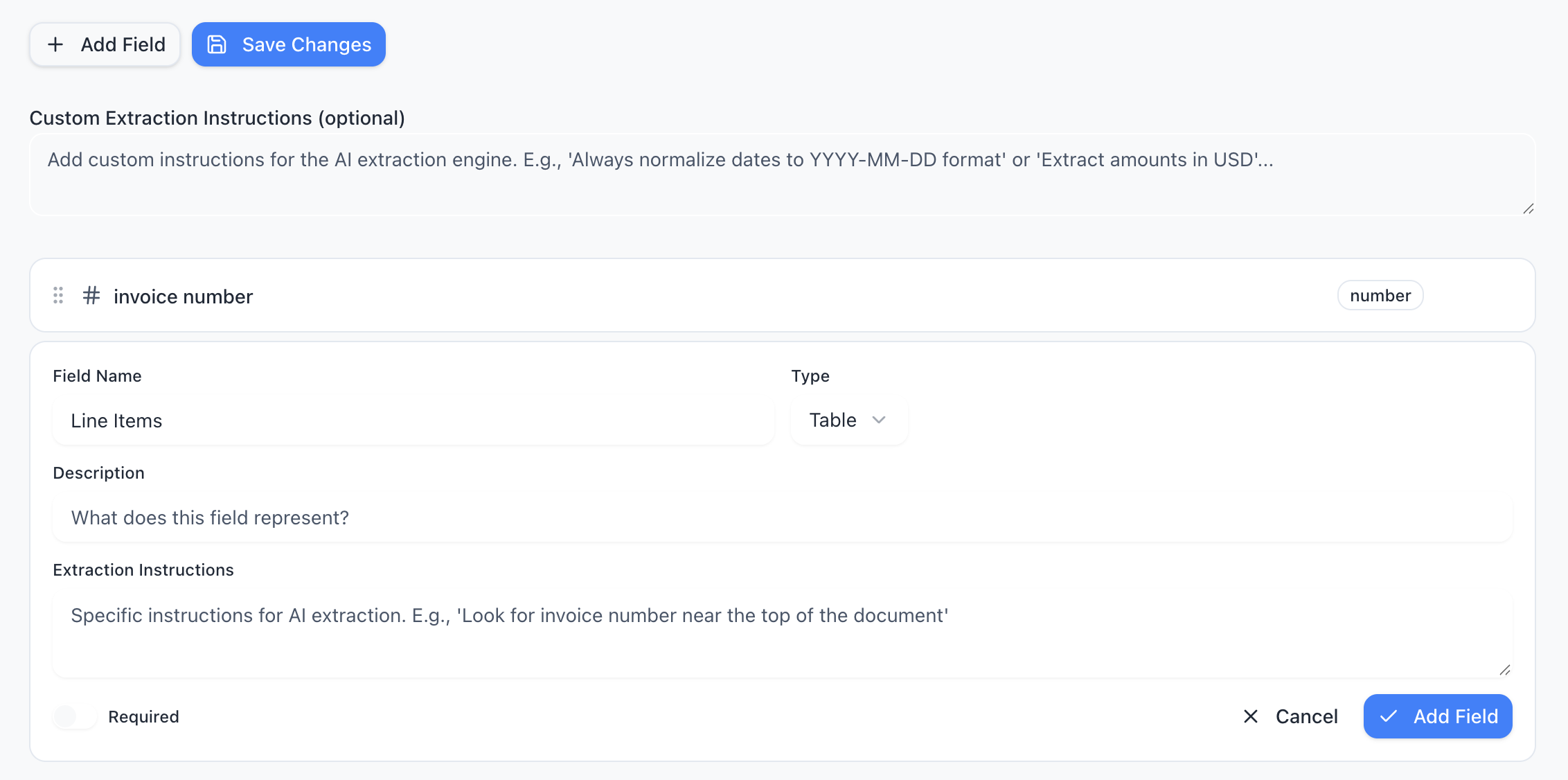
Define your schema
Tell the AI exactly what data to extract. Add fields like “invoice number”, “line items”, or “total amount” — choose from 15 field types including tables, objects, and lists.
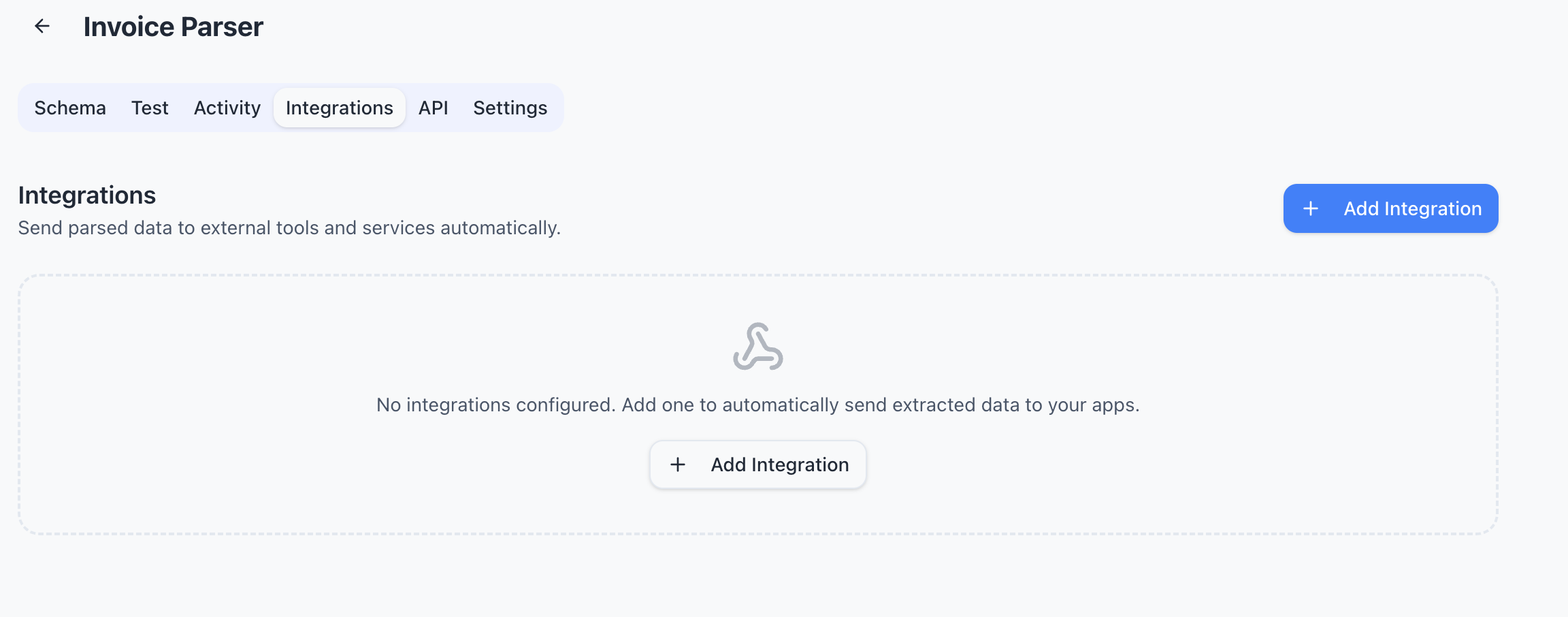
Connect your tools
Send extracted data wherever you need it — Google Sheets, Zapier, Make, Power Automate, webhooks, or Gmail inbox. One-click setup, no code required.
Features
Why teams choose Parsli
Works with Any Bank Format
Chase, Bank of America, Wells Fargo, HSBC — Parsli's AI adapts to any bank's statement layout without configuration.
Handles Scanned Statements
Printed or scanned bank statements are processed with built-in OCR. No clean digital PDF required.
Extracts All Transaction Fields
Date, description, debit, credit, running balance — every field is captured and structured accurately.
Processes Multi-Page Statements
50-page annual statement? No problem. Parsli processes every page and returns one clean, unified dataset.
No credit card required · 30 free pages/month
Why Convert Bank Statements to Excel?
Accountants, bookkeepers, and financial analysts regularly need bank transaction data in spreadsheet format for reconciliation, auditing, and analysis. But banks provide statements as PDFs — and most don't offer CSV downloads for older statements or scanned documents.
Manually retyping transactions is the most common workaround, and it's painfully slow. A typical monthly statement with 100+ transactions takes 1-2 hours to type, and errors are inevitable. AI-powered extraction converts the entire statement in seconds with structured output you can immediately use.
Can You Extract Data from Scanned Bank Statements?
Yes. Many bank statements — especially older ones, paper archives, or statements from smaller banks — are only available as scans or photos. These are images, not digital text, so traditional copy-paste doesn't work.
Parsli's built-in OCR reads scanned bank statements the same way it reads digital PDFs. It identifies the transaction table structure, recognizes dates, amounts, and descriptions, and outputs clean structured data. Even low-quality scans are handled with AI-enhanced character recognition.
How AI Bank Statement Extraction Works
Traditional bank statement converters use fixed rules — they look for text at specific positions on the page. This breaks whenever a bank changes their format or when you switch banks.
Parsli uses AI that reads the full page context. It identifies the transaction table by understanding what a bank statement looks like — recognizing patterns like date columns, debit/credit amounts, and running balances. This means it works on any bank's format without configuration. Upload the statement, and the AI figures out the structure automatically.
FAQ
Frequently asked questions
Does it work with any bank's statement format?
Yes. Parsli's AI adapts to any bank's layout automatically — Chase, Bank of America, Wells Fargo, HSBC, and thousands more. No per-bank configuration needed.
Can you extract data from scanned bank statements?
Yes. Built-in OCR reads scanned and printed statements with the same accuracy as digital PDFs. Even low-quality scans are handled.
What transaction fields are extracted?
Date, description, debit amount, credit amount, and running balance. You can also define custom fields like category or reference number.
Can it handle multi-page statements?
Yes. A 50-page annual statement is processed as a single unified dataset — all transactions in one clean export.
How long does extraction take?
Most statements are processed in under 10 seconds, regardless of page count. A typical monthly statement with 100+ transactions takes about 3 seconds.
Explore
One platform, every document type
Same AI extraction engine for all your document processing needs
Ready to stop retyping bank transactions?
Start extracting structured data in minutes. No credit card required.
No credit card required · 30 free pages/month · Cancel anytime