Parse Any Document
Without Writing Code
Define what data you need in plain English. Parsli's AI handles the rest — no templates, no zones, no programming required.
No credit card required · 30 free pages/month
Why Parsli?
Skip hiring a developer to build parsers
Without Parsli
- Need a developer to build custom document parsers
- Template-based tools require per-format configuration
- Rule-based systems break when layouts change
- Weeks of setup before you extract a single field
- Every new document type means starting over
With Parsli
- Visual schema builder — point and click
- AI adapts to any document layout automatically
- Describe fields in plain English, not regex
- Start extracting in minutes, not weeks
- One parser handles unlimited document variations
Go from zero to extracting data in under 5 minutes.
No Developer Required
Anyone on your team — operations, finance, HR — can set up a document parser in minutes using the visual schema builder. No programming knowledge needed.
Compatibility
Every document format supported
How It Works
Three steps to structured data
Describe Your Fields
Use the visual schema builder to define field names, types, and extraction instructions — in plain English.
Upload or Send Documents
Drag and drop files, forward emails, or connect via API. PDFs, images, scans — all supported.
Get Structured Data Instantly
Extracted data flows to Google Sheets, webhooks, Zapier, Make, or your own systems automatically.
See It In Action
From document to structured data in minutes
No complex setup. No code required. Just define what you need and let AI do the rest.
Create a parser
Give your parser a name and description. Each parser is a reusable extraction template — create one for invoices, another for receipts, another for contracts.

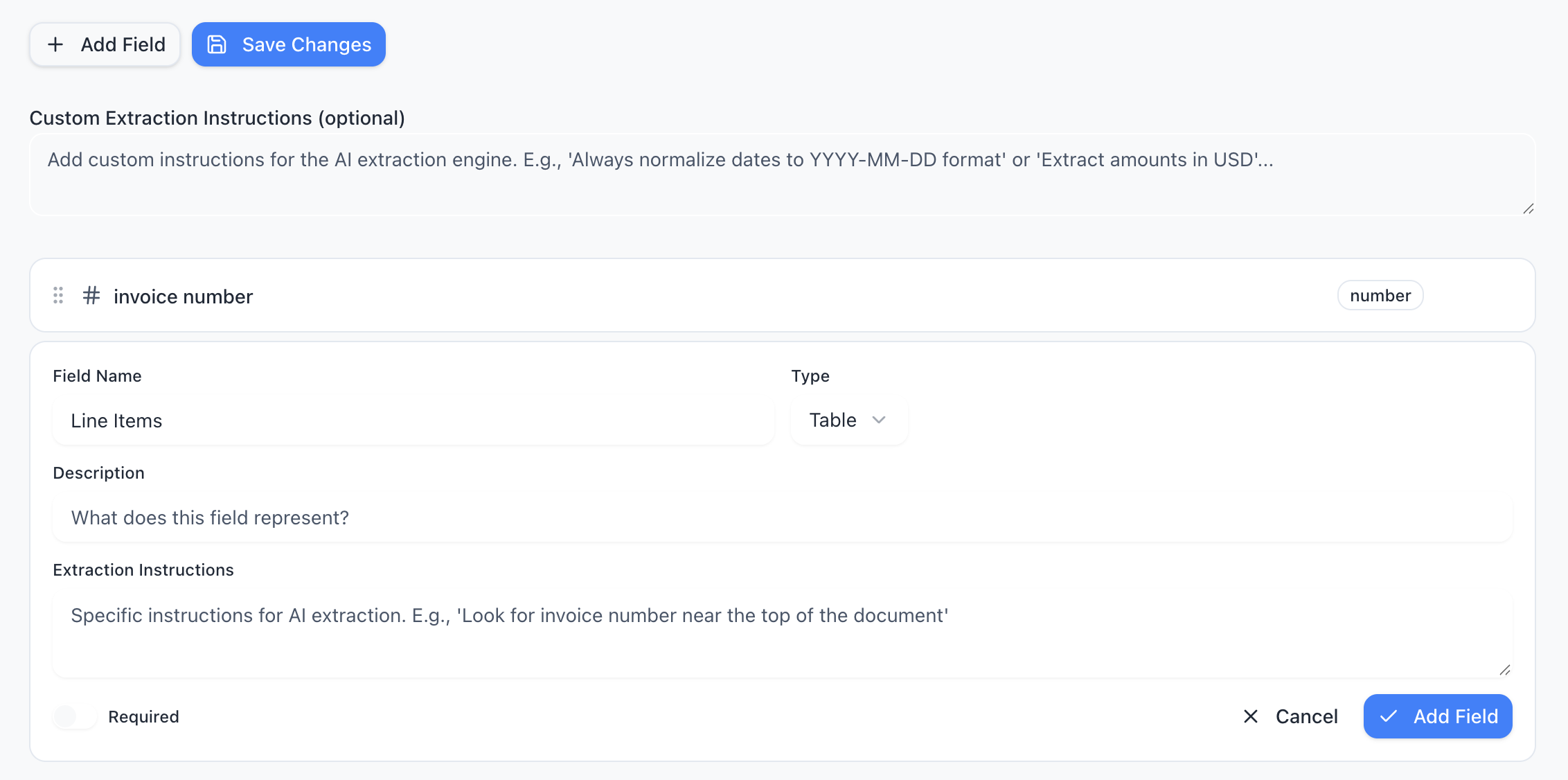
Define your schema
Tell the AI exactly what data to extract. Add fields like “invoice number”, “line items”, or “total amount” — choose from 15 field types including tables, objects, and lists.
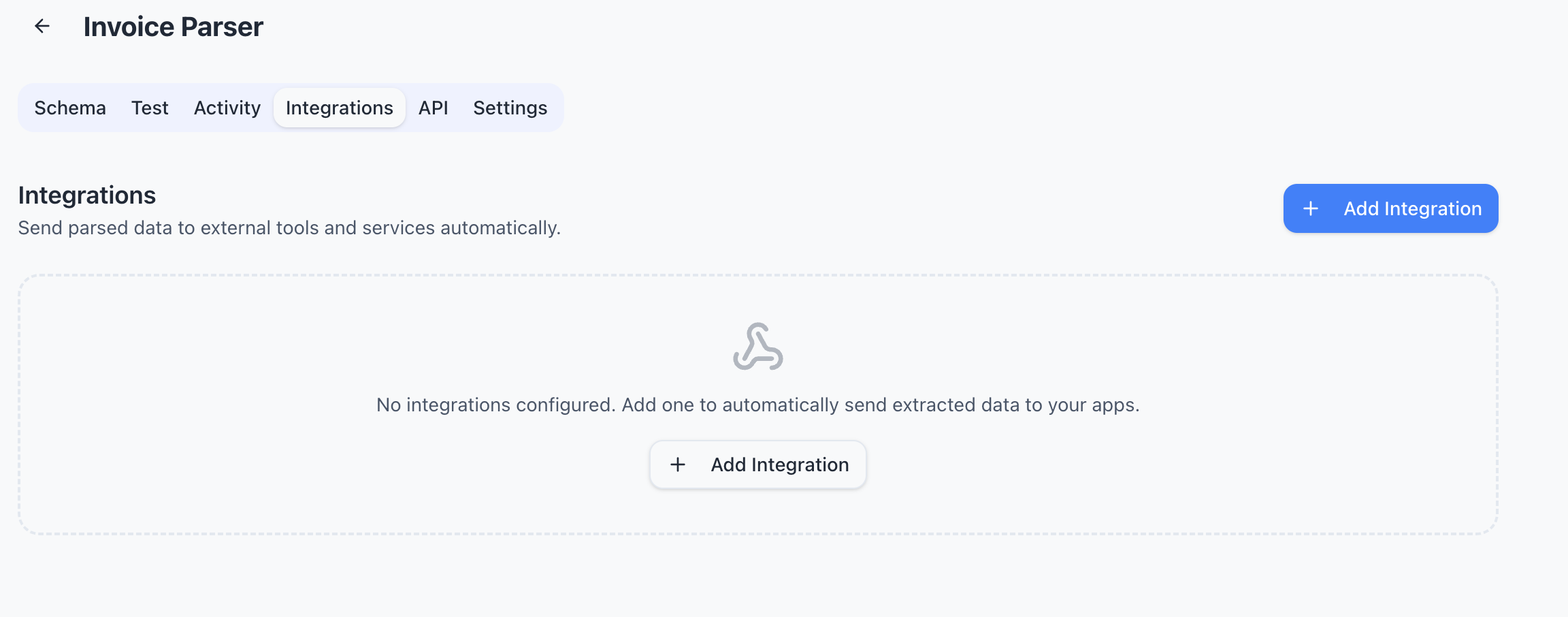
Connect your tools
Send extracted data wherever you need it — Google Sheets, Zapier, Make, Power Automate, webhooks, or Gmail inbox. One-click setup, no code required.
Features
Why teams choose Parsli
Visual Schema Builder
Point-and-click interface to define extraction fields. Choose types, set requirements, and add instructions — no code needed.
AI Understands Context
No rigid templates or zone drawing. Parsli's AI reads and understands the full document, adapting to any layout.
Works with Any Document Type
PDFs, images, scans, emails, Word docs — if it contains data, Parsli can extract it.
5,000+ App Integrations
Connect to Google Sheets, Zapier, Make, and thousands more. Or use webhooks and the REST API for custom workflows.
No credit card required · 30 free pages/month
What Is No-Code Document Parsing?
No-code document parsing means extracting structured data from documents — PDFs, invoices, receipts, forms — without writing any code. Instead of building custom scripts or configuring regex patterns, you use a visual interface to tell the system what data you need, and AI handles the extraction.
This is a fundamental shift from traditional document processing. Older tools require developers to write parsing rules or draw extraction zones for every document template. With no-code AI parsing, anyone on your team — operations, finance, HR — can set up a document parser in minutes.
Who Needs a No-Code Document Parser?
Any team that regularly processes documents but doesn't have developer resources to build custom extraction. Common examples: finance teams processing invoices, HR teams handling resumes and applications, operations teams managing shipping documents, and real estate teams extracting data from contracts.
If your current process involves someone manually reading documents and typing data into a spreadsheet or system, a no-code document parser can automate that entire step. The ROI is immediate — less manual work, fewer errors, faster turnaround.
No-Code vs Developer-Built Document Parsing
Building document parsing in-house typically requires: an OCR engine, a text extraction pipeline, custom parsing logic per document type, error handling, and ongoing maintenance when formats change. That's weeks of developer time per document type, plus ongoing maintenance.
A no-code platform like Parsli replaces all of that with a 5-minute setup. You define your schema visually, upload a document, and start extracting. The AI model is already trained on millions of documents — no training data from you required. And when document formats change, the AI adapts automatically.
FAQ
Frequently asked questions
Do I need technical skills to use Parsli?
No. The visual schema builder uses plain English descriptions. Anyone on your team can create a parser and start extracting data in minutes.
What document types are supported?
PDFs, images (JPEG, PNG), scanned documents, emails, Word docs (.docx), and Excel files (.xlsx). If it contains data, Parsli can extract it.
Can I define custom extraction fields?
Yes. Add any field you need with types like text, number, date, boolean, table, list, and more. Use natural language instructions to guide the AI.
How is this different from template-based parsers?
No zones to draw, no rules to write. Parsli's AI understands document context and adapts to any layout automatically. Template parsers break when formats change — Parsli doesn't.
Can I automate document processing end-to-end?
Yes. Connect via email forwarding, API, Zapier, Make, or webhooks for fully hands-free processing. Documents in, structured data out — automatically.
Explore
One platform, every document type
Same AI extraction engine for all your document processing needs
Ready to stop building document parsing from scratch?
Start extracting structured data in minutes. No credit card required.
No credit card required · 30 free pages/month · Cancel anytime